Exported to STL, rebuilt as the same CAD part
Most mesh-to-STEP converters put every triangle into the STEP file. To check whether ours gives back the real part, we modelled parts in CAD, exported them as STL and converted the STL back with the CAD part (Mechanical) mode. Then we compared each result with the original CAD model.
How we tested
The parts were generated by us for this test, so we know the exact answer. They are not customer files.
- Model the part in CADPlates, flanges, knobs, shafts and enclosures with holes, fillets, chamfers and slots, built in OpenCascade.
- Export it as STLWith a 0.1 mm tolerance, as a typical CAD export. A third of the parts are turned to a random angle first.
- Convert the STL to STEPOn the live site engine, the same one every upload uses, in CAD part mode with default settings.
- Compare with the originalCount and type of faces, volume, and the distance from each surface to the other, in both directions.
The 7 parts
Left half: the STL that was converted. Right half: the STEP it became, with its face boundaries.
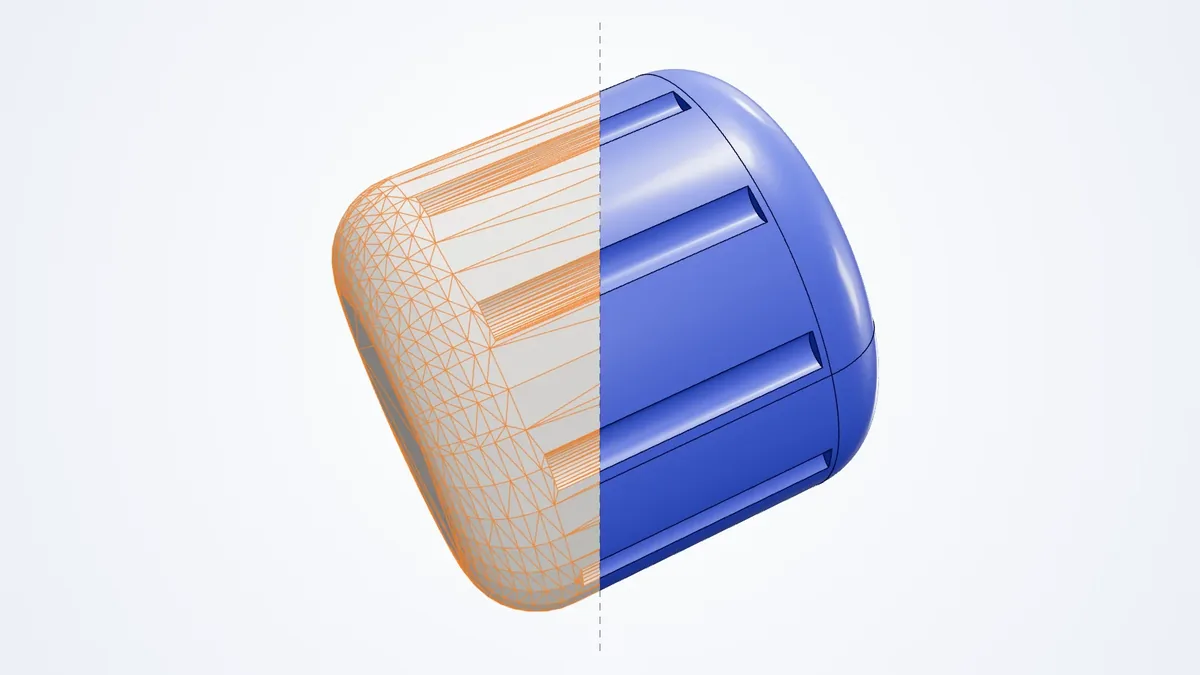
- 23 planes
- 12 cylinders
- 2 tori
- Volume difference
- < 0.0001%
- Max distance
- < 0.0001 mm
- STL triangles
- 2,960
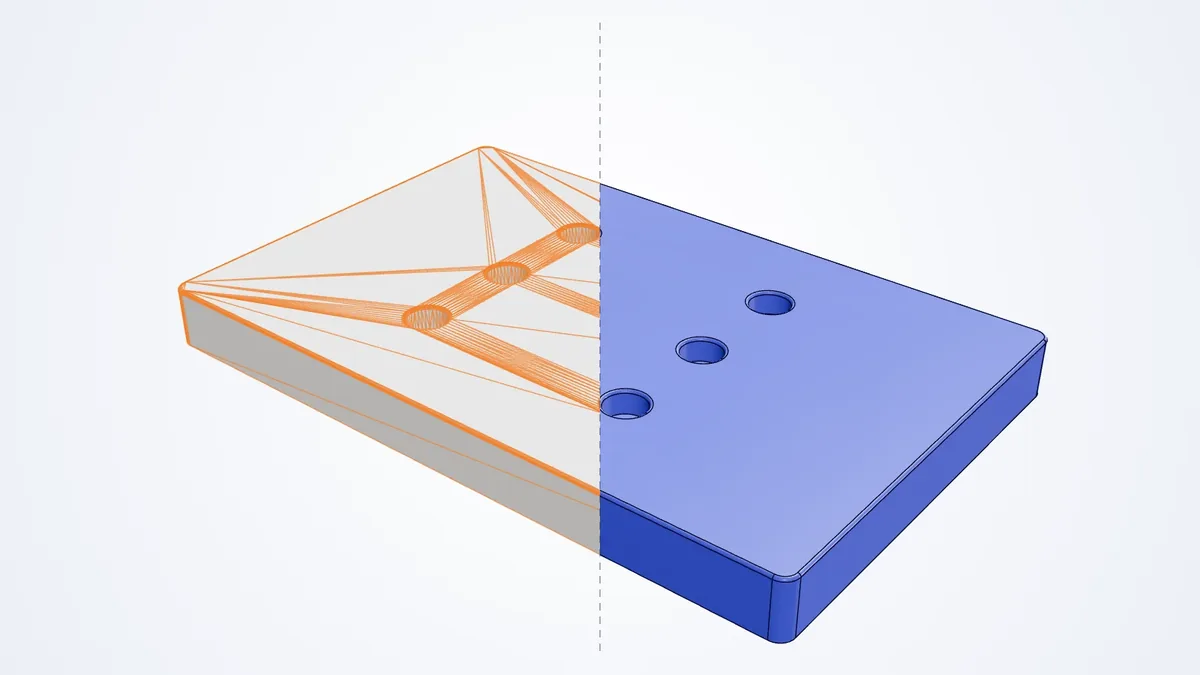
- 12 planes
- 20 cylinders
- 10 tori
- Volume difference
- < 0.0001%
- Max distance
- < 0.0001 mm
- STL triangles
- 6,516
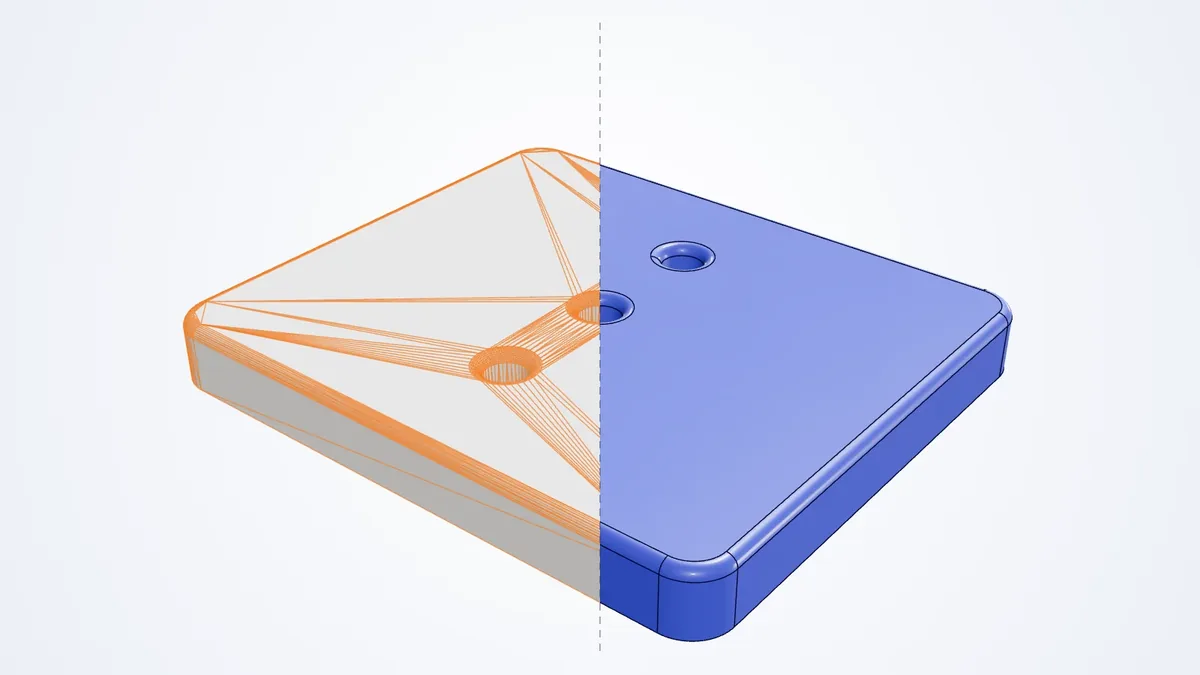
- 6 planes
- 11 cylinders
- 7 tori
- Volume difference
- < 0.0001%
- Max distance
- < 0.0001 mm
- STL triangles
- 3,264
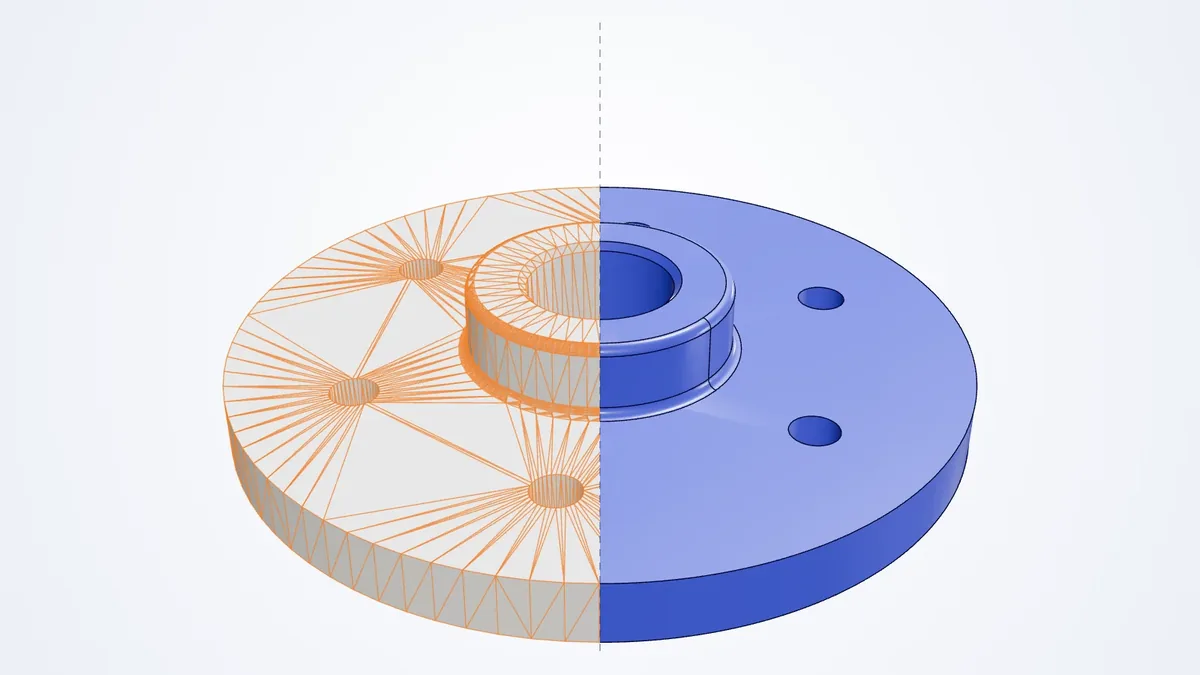
- 3 planes
- 9 cylinders
- 2 cones
- 2 tori
- Volume difference
- < 0.0001%
- Max distance
- < 0.0001 mm
- STL triangles
- 4,350
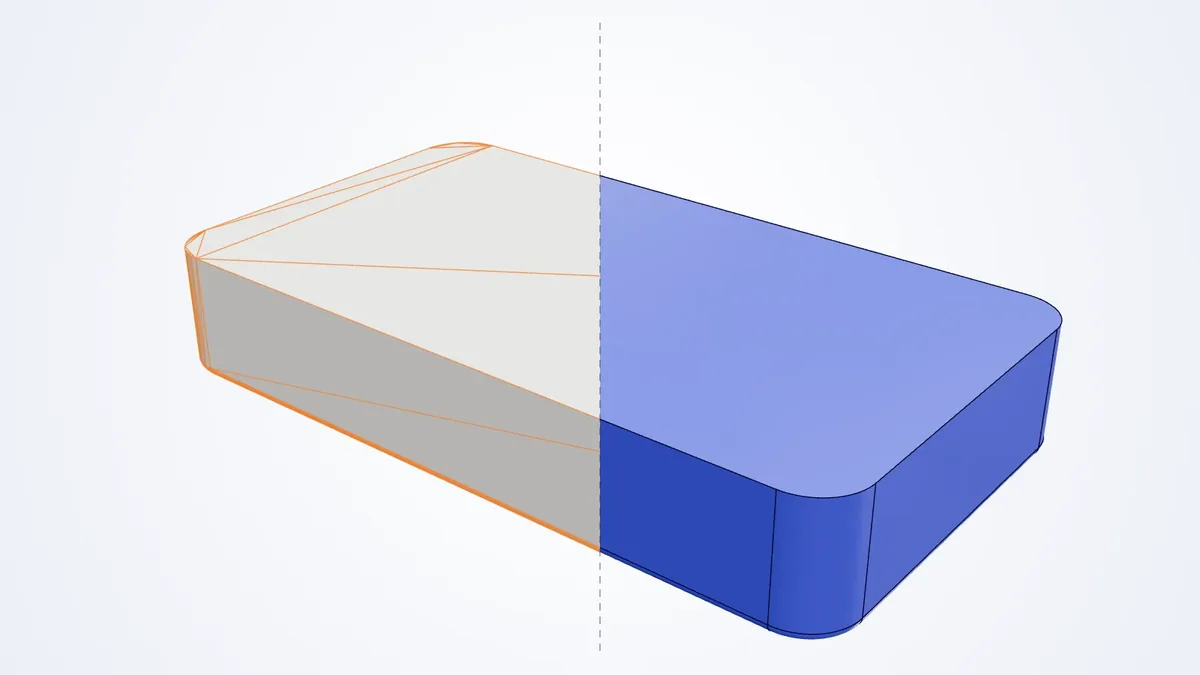
- 6 planes
- 8 cylinders
- 4 tori
- Volume difference
- < 0.0001%
- Max distance
- < 0.0001 mm
- STL triangles
- 876
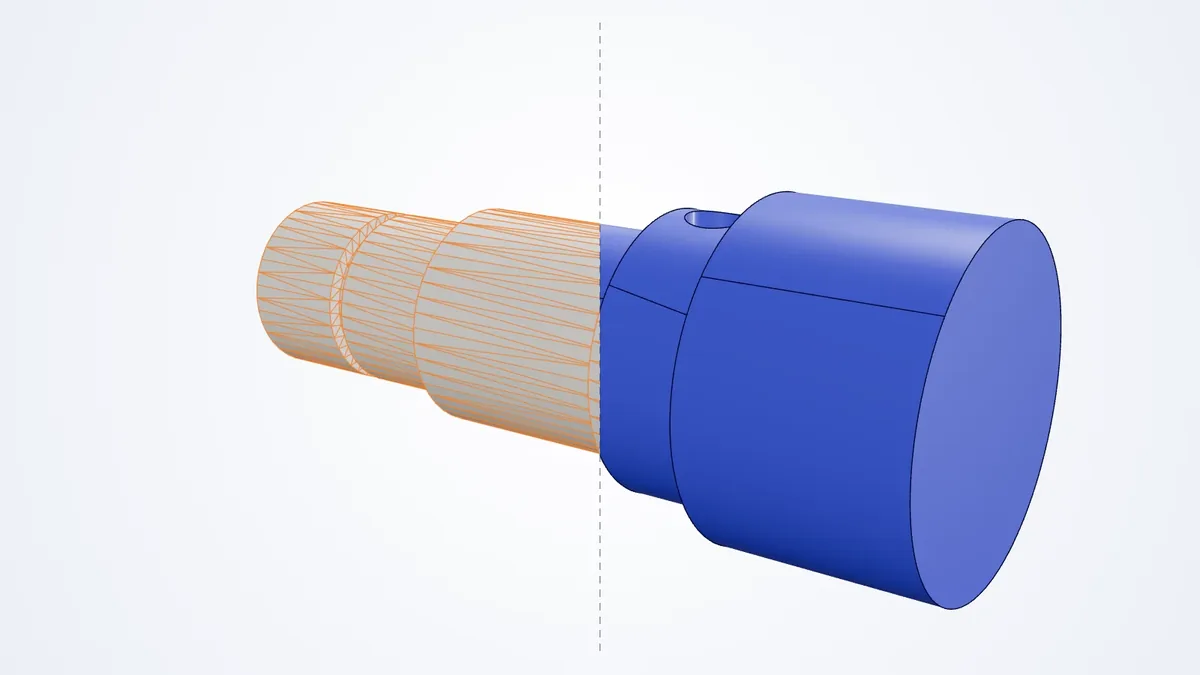
- 7 planes
- 7 cylinders
- 1 cone
- Volume difference
- 0.0015%
- Max distance
- 0.019 mm
- STL triangles
- 1,366
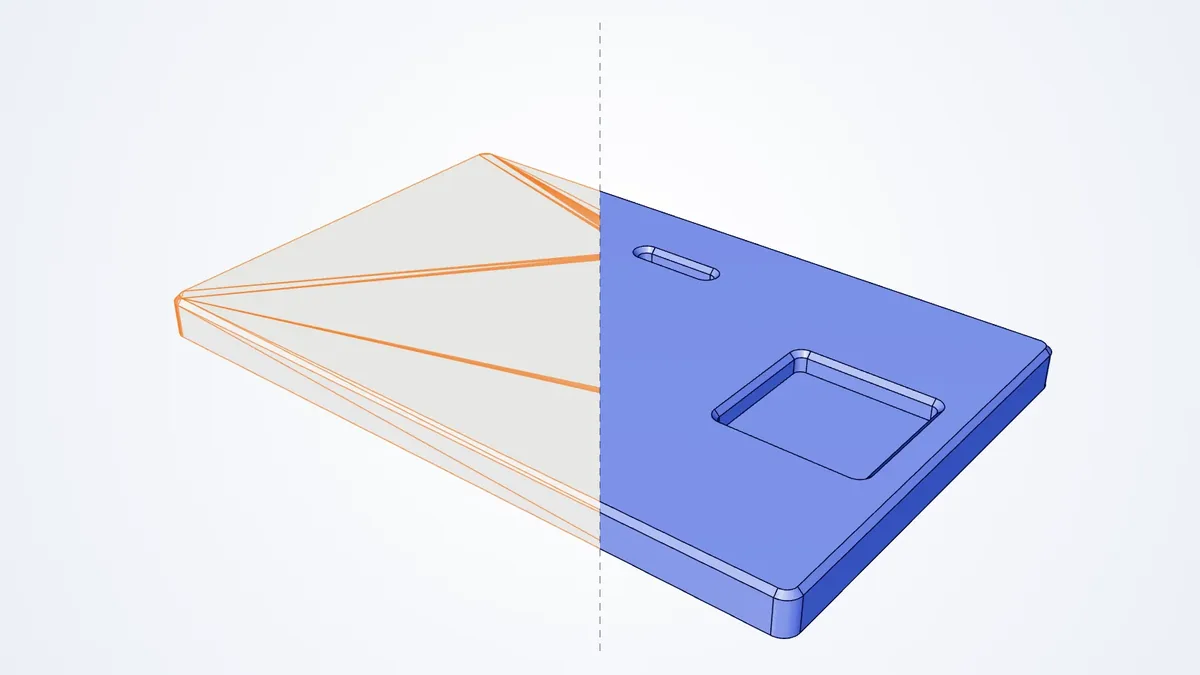
- 23 planes
- 10 cylinders
- 10 cones
- Volume difference
- < 0.0001%
- Max distance
- < 0.0001 mm
- STL triangles
- 808
The STEP is closer than the STL
An STL exported with a 0.1 mm tolerance is up to 0.1 mm off the real shape: each curved face is cut into flat triangles. When every triangle of a hole lies on one cylinder, we fit that exact cylinder and use it as the face. So the rebuilt STEP is back on the original surfaces, closer to the original part than the STL it was made from.
That is why the holes, fillets and chamfers above come back as real cylinders, tori and cones. You can select a hole and read its diameter, or change it with direct editing in your CAD software.
All 289 test parts
The 7 parts above come from a larger set of 289 parts in 10 families. We run the whole set before every engine update. A part passes when all four of these hold:
- One valid solid that CAD software can open
- Volume within 1% of the original
- At least 95% of the original's planes, cylinders, cones, spheres and tori come back as the same surface
- No point more than 0.1 mm from the original, in both directions
| Family | Parts | Pass |
|---|---|---|
| Plates | 30 | 30 |
| Slotted plates | 30 | 30 |
| L-brackets | 30 | 30 |
| Shafts | 30 | 30 |
| Hex standoffs | 30 | 30 |
| Enclosures | 30 | 30 |
| Knobs | 19 | 19 |
| Flanges | 30 | 29 |
| Angled blocks | 30 | 29 |
| Gears | 30 | 27 |
| All | 289 | 284 (98%) |
What this test does not show
- These are the best-case meshes. An STL exported from CAD has every point exactly on the original surfaces. A 3D scan, a sculpt or an AI-generated model does not: it comes back as smooth fitted surfaces, not exact planes and cylinders, and nothing has a "same face count" to match. See the measured accuracy on scans and sculpts.
- Gears are the hardest family. 27 of 30 pass; on the others a few tooth faces miss the 0.1 mm limit or the volume check.
- No design history. You get faces and solids, not the original sketches and extrudes. Holes and faces can still be changed with direct editing.
- Pick the right mode. These results are from the CAD part (Mechanical) mode. The Organic mode is meant for scans and organic shapes.
Check it yourself
The 7 test parts: the STL we converted, the original CAD model and the STEP we rebuilt, for each part. Free to use for testing any mesh-to-CAD tool.
Download the test parts (ZIP, 0.4 MB)Convert your own STL
Upload a mesh, pick CAD part, and check the 3D preview and deviation report for free. You pay only when you download the STEP.
Convert an STL to STEP →